

Pathfinder Analytics
I designed and built Pathfinder Analytics to bring agency projects, people, time and budgets into one connected system. The application gives managers a view of the work ahead and gives each person a practical place to organise their week, record time and understand what needs to happen next.
I was responsible for the product structure, the Figma designs and the UX decisions before building the application in Laravel, with a React and TypeScript interface through Inertia. Pathfinder was successfully deployed and adopted across the agency to track projects and time, becoming part of its day-to-day delivery and reporting.
Screenshots use fictional clients, team members and figures in a separate demo copy of the application.

Figma
Used

Laravel
Used

React
Used

TypeScript
Used

PHP
Used

Tailwind CSS
Used

Vite
Used
Goal
Connect the work being sold, the work being scheduled and the time actually spent delivering it. Project managers needed a clearer view of capacity and remaining budgets, while the team needed an interface that made daily planning and recording time straightforward.
Role
End-to-end product design and development: application planning, Figma design, interaction design, UX decisions, Laravel architecture, frontend implementation, deployment and continued refinement. I designed the workflows as a connected product, including the quieter details between the main screens.
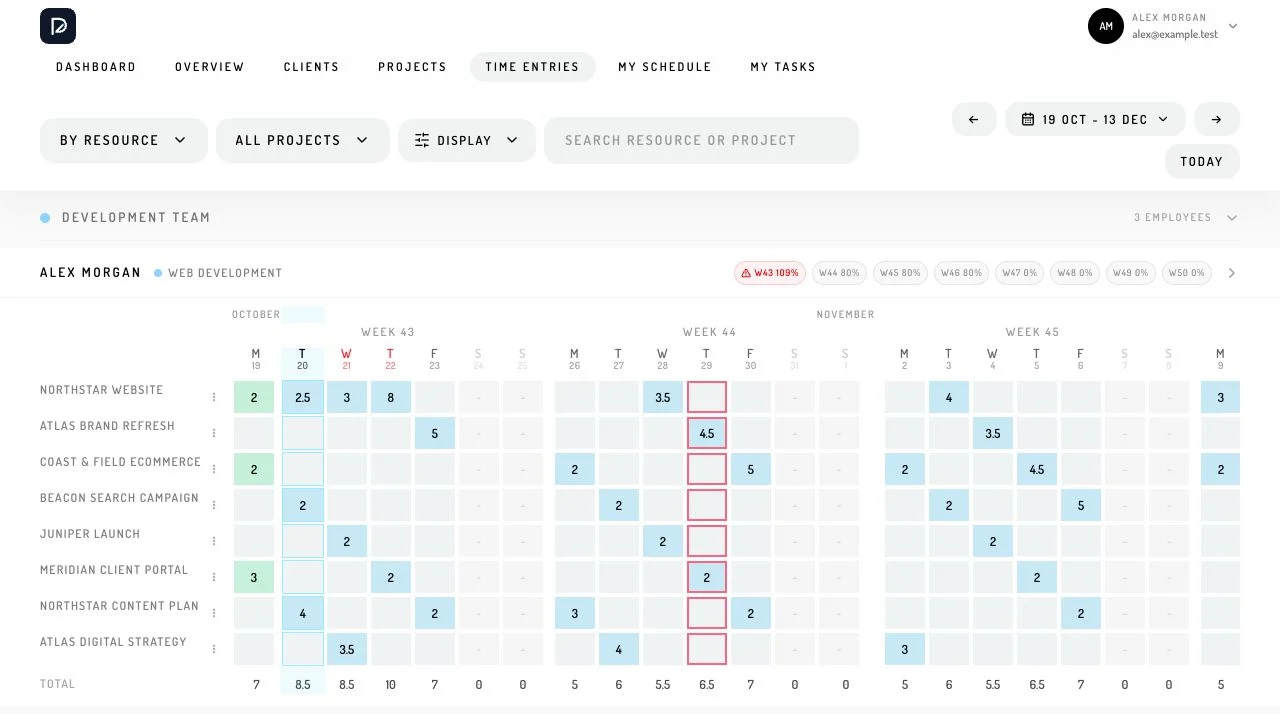
Designed around the working week
I worked through the journeys in Figma before building them: finding a client, opening a project, assigning work, adjusting the schedule and reviewing what had been recorded. That gave me a way to decide which information belonged together and which actions needed to remain close to the work.
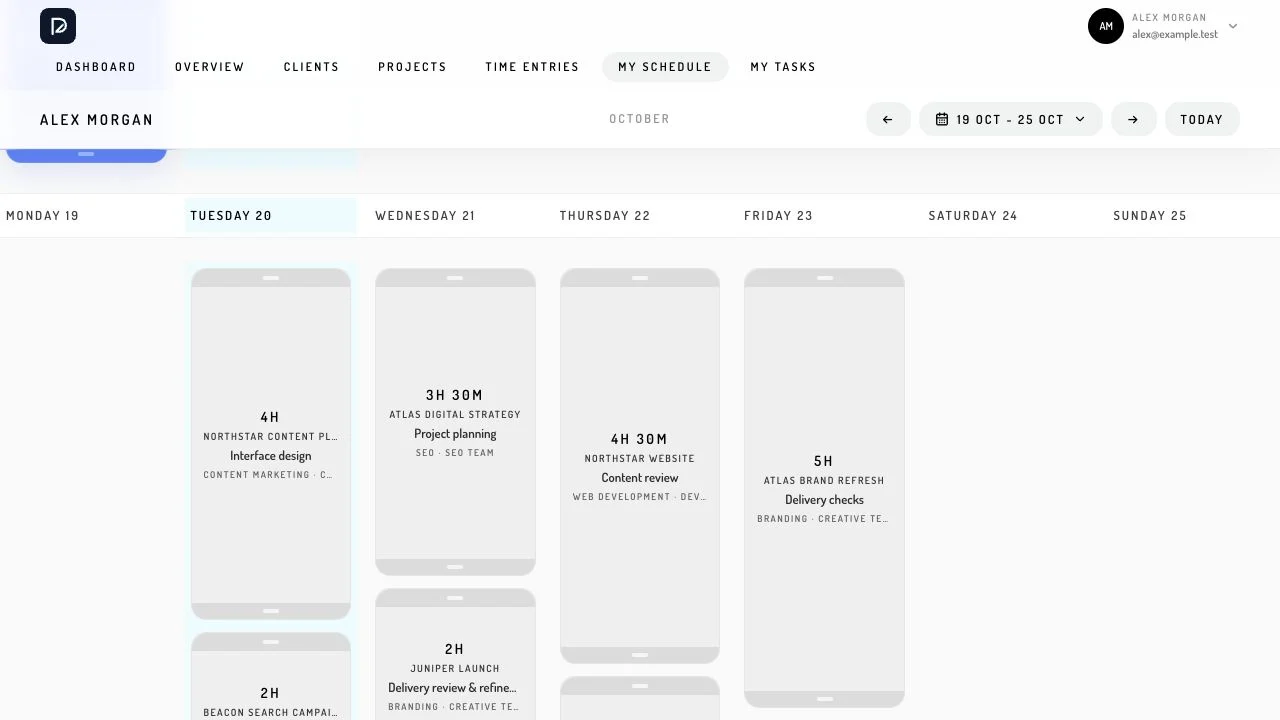
The team planning view and personal schedule serve different needs. Managers can look across people and projects, while an individual can focus on their own week. Consistent filters, project selectors and editing panels make those views feel related, so moving between them does not mean learning a different set of controls.
Drag-and-drop scheduling
The scheduling interface was one of the most involved parts of the product. People can drag allocations between days, resize them to adjust the time, duplicate entries and move unfinished work into another week. The team time-entry grid also supports direct editing and working with multiple cells, making changes to a larger plan practical.
I kept planned allocations distinct from completed work. A schedule describes an intention; recorded time describes what happened. Capacity totals and the surrounding project context help people understand a change before making it, while the personal schedule gives employees control over how their own work moves through the week.
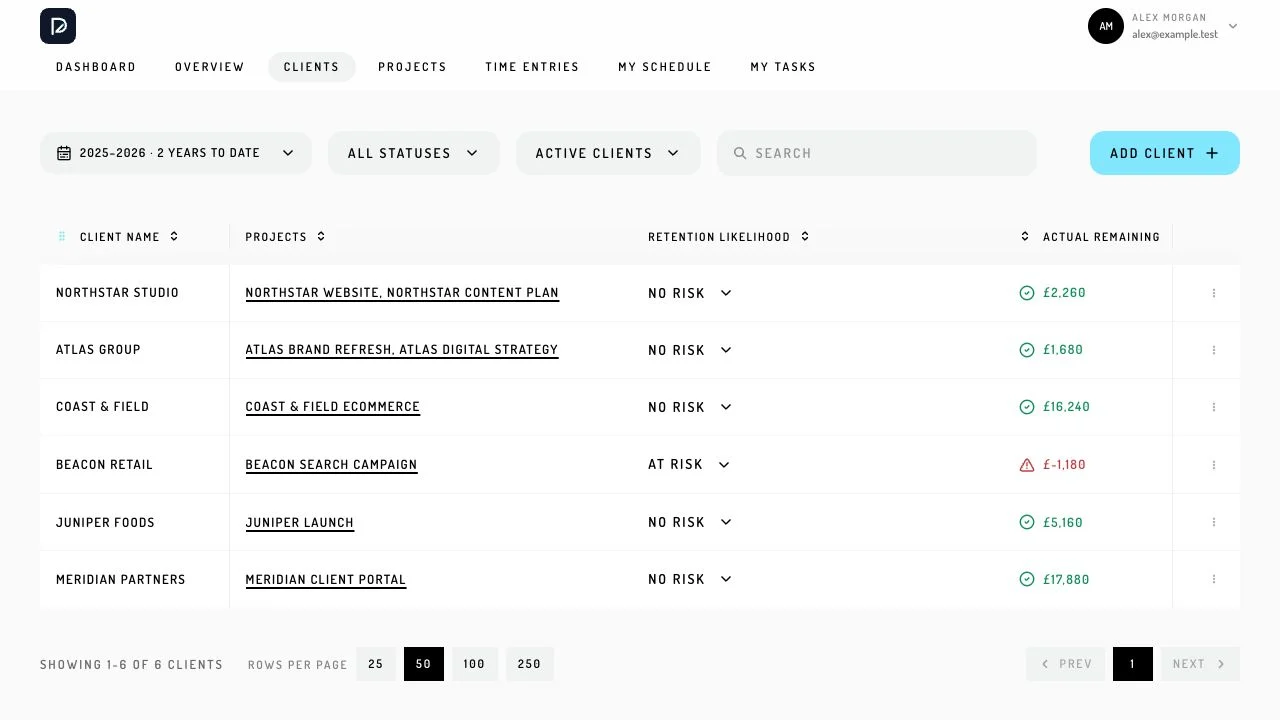
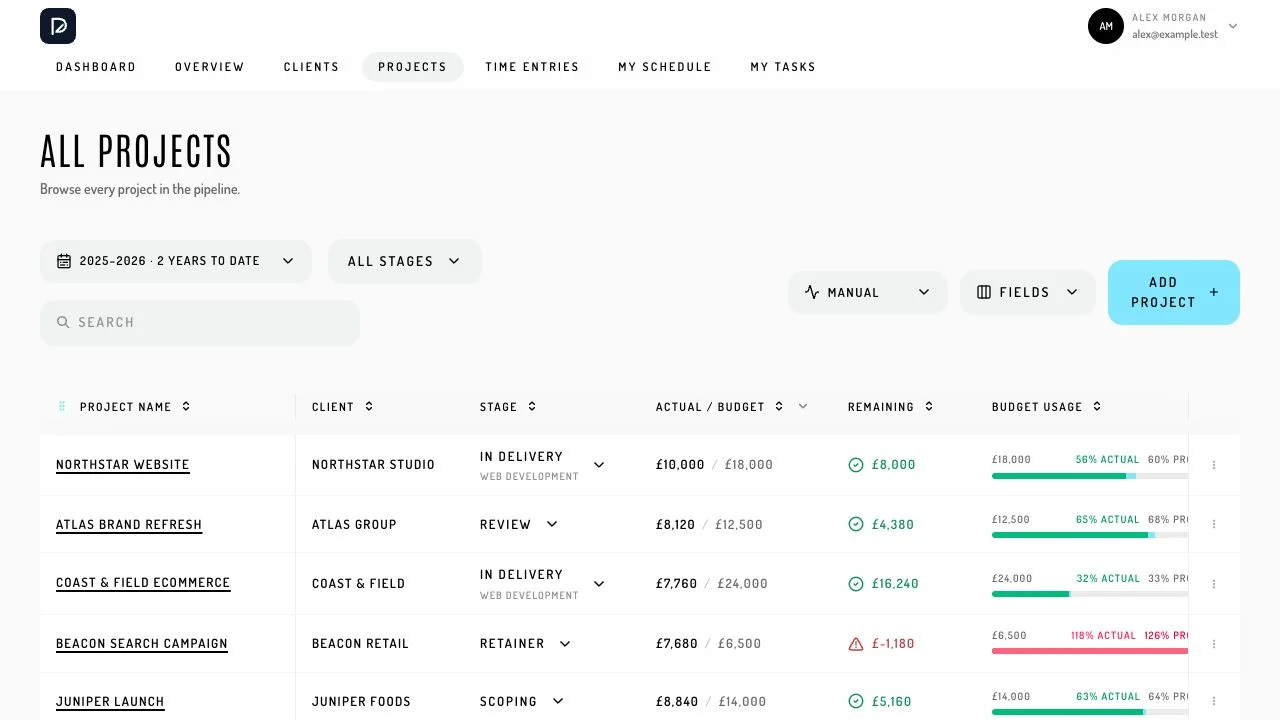
Clients and projects in one place
The client directory connects each account to its projects and gives managers a starting point for reviewing the relationship. The project list brings delivery stages, budget usage and remaining amounts into the same view, with filters and optional fields for the information someone needs at that moment.
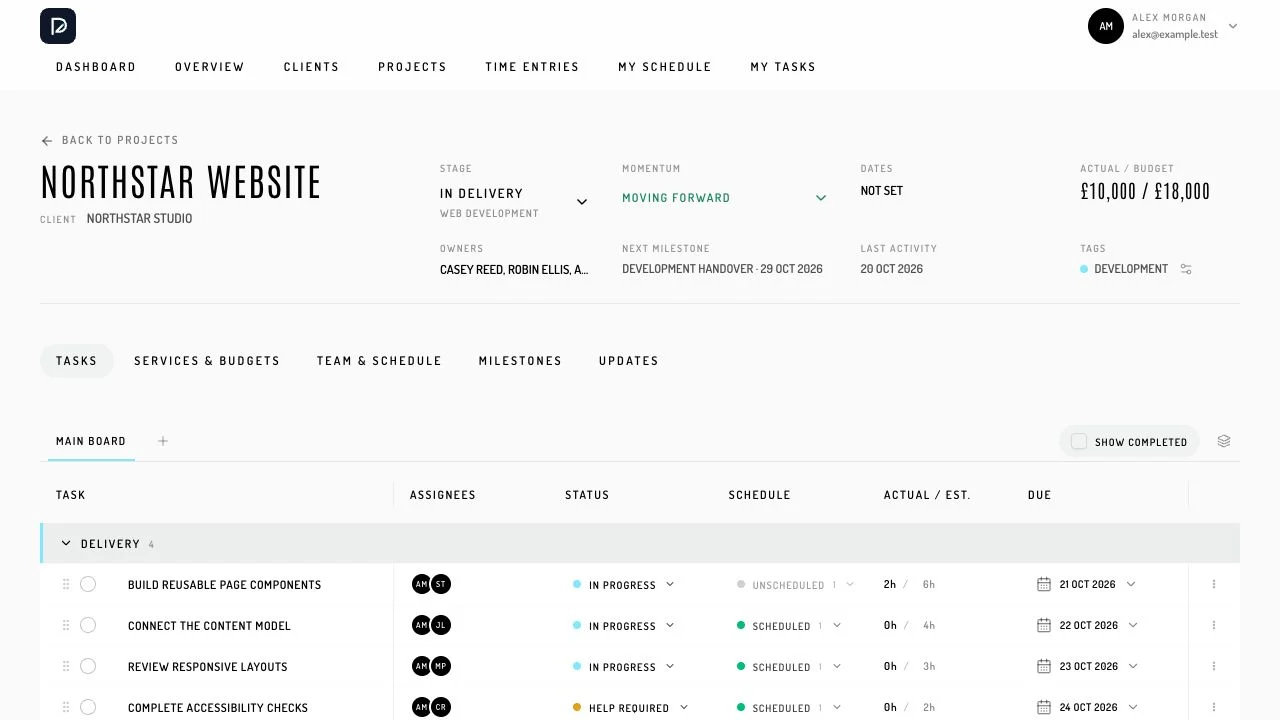
Within a project, tasks, service budgets, assigned people, milestones and progress updates stay attached to the same record. That relationship matters: time should lead back to the work it belongs to, and an overview should offer a route into the detail behind a warning or an approaching milestone.
Editing without losing your place
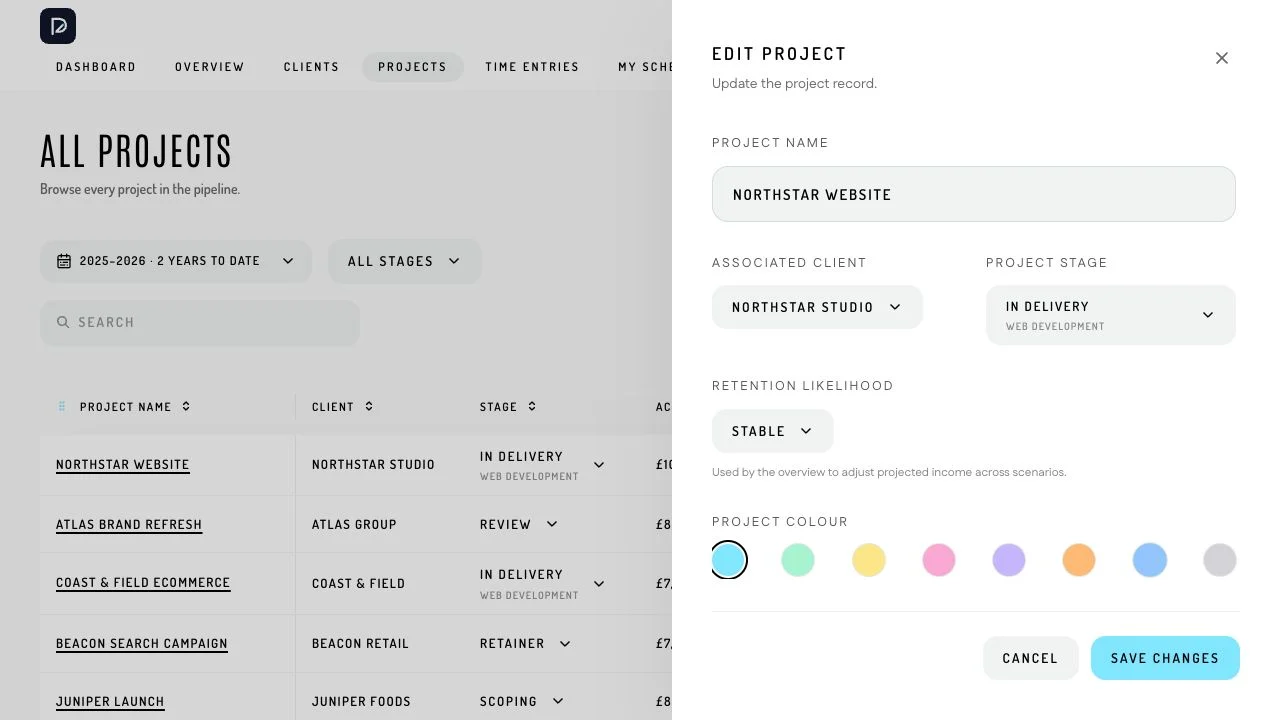
The project editor opens beside the list, keeping the surrounding work visible while a record is changed. A manager can update the client, stage, colour, tags, related services and assigned employees in one place, then return to the list with its context intact.
I used the same approach across recurring interactions. Searchable selectors and shared editing patterns reduce the amount of navigation needed for everyday changes. The interface remains focused on the current decision rather than asking someone to move through a succession of disconnected forms.
My Tasks and project boards
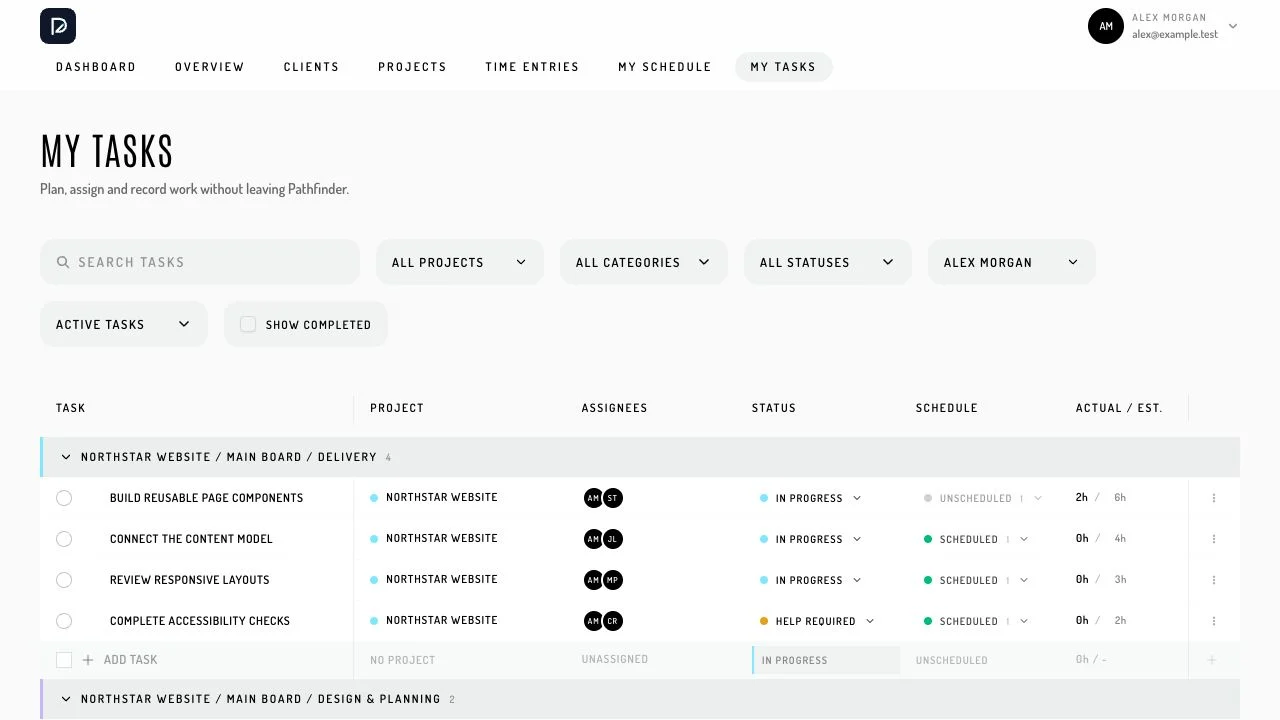
My Tasks brings assigned work together across projects, with status, estimates, scheduled time and due dates available in the same table. Someone can see what needs attention, identify work that has already been scheduled and follow it back to the project it belongs to.
The project board provides the wider delivery context, grouping tasks into categories with assignees and scheduling controls. Connecting tasks to time entries means the task list and the working week can support one another, rather than becoming two separate plans that need to be maintained by hand.
Reporting from the same records
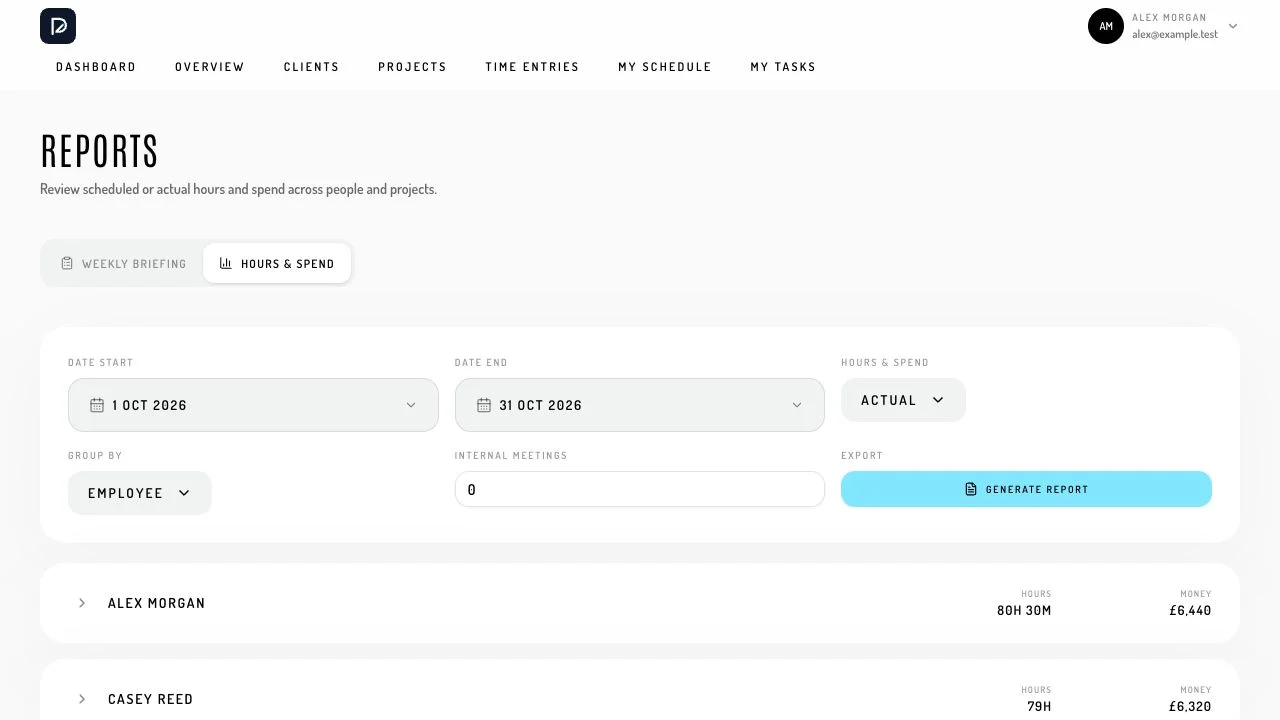
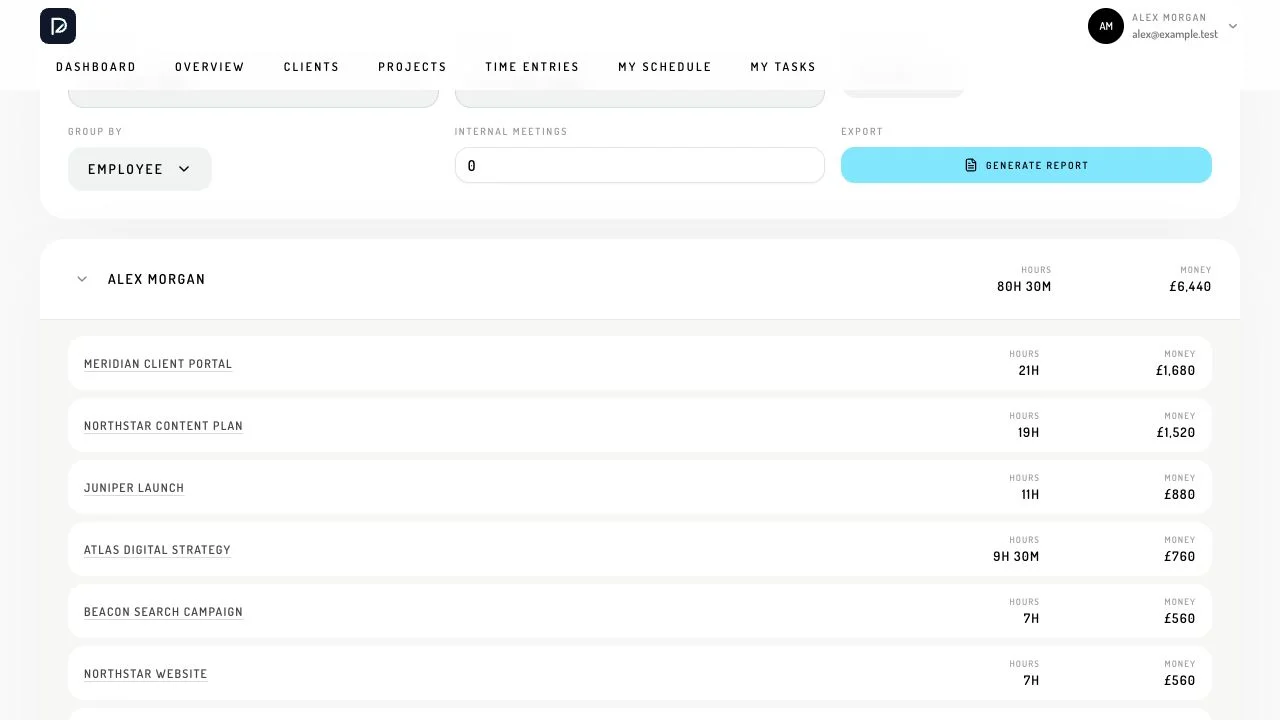
The reporting interface turns the time maintained during the week into a view of hours and spend. Date filters, scheduled or actual measures, and grouping by employee or project let managers explore the same information from different starting points. Expanding a group exposes the project detail behind the total.
This supports the agency’s regular reporting conversations without requiring the figures to be assembled from separate systems. Planned time, recorded time and budget signals remain distinguishable, giving the team a basis for discussing capacity, scope and overruns with the relevant context in view.
A Laravel foundation for an interactive product
Laravel handles the relationships between workspaces, clients, projects, services, employees and time entries, alongside validation and access rules. React and TypeScript support the detailed interactions in the browser, with Inertia connecting the screens to Laravel’s controllers. Shared components keep behaviour consistent as the product develops.
The data loading follows the view being used. Schedules request a defined date window, larger lists use pagination, and reporting works with aggregated time data. Workspace boundaries and role-based access are enforced on the server as well as reflected in the interface, so a personal schedule and an operational overview can sit within the same application.
Deployed across the agency
Pathfinder moved from an independently designed and built product into everyday agency use. It was deployed successfully and used to track the agency’s projects and time, bringing weekly planning, delivery oversight and reporting into a shared working system.
The purpose was to make planning more realistic and give people useful control over their work. Visible capacity helps a manager have a better conversation about the week ahead; being able to move work and record what happened helps the team keep that conversation grounded as plans change.