

Aenlyra
I designed and developed Aenlyra, a WordPress assistant that helps visitors explore a website through conversation. It answers questions using selected public content, recommends useful pages and offers a route into an enquiry when someone is ready to take the next step.
The project covers both sides of that experience: a configurable chat interface for visitors and a WordPress workspace for managing its knowledge, appearance, behaviour and usage. It can sit in a corner, open as a central conversation or remain available as a quiet search-like bar.
These screenshots show a working local installation using my portfolio content and real AI replies. Aenlyra is the configured assistant name in the visitor examples; the WordPress administration currently uses the Site Assistant label.

WordPress
Used

PHP
Used

JavaScript
Used

CSS
Used

OpenAI
Used
Goal
Make a website easier to explore when a visitor does not yet know which page to open or how to describe what they need. The conversation should help them narrow a question, point to the relevant source and remain connected to the website around it.
Role
Product design and WordPress plugin development in 2026, including the visitor interfaces, content indexing and retrieval, AI integration, administration screens and connections to existing forms. I used this website as the working environment for testing and refining the experience.
A useful starting point
An empty message box can leave people wondering what to ask. Configurable starting questions introduce the topics the assistant can help with, while the welcome message, name, avatar and status line give each installation its own identity.
Once the conversation begins, suggested follow-up questions provide routes forward. The assistant can ask a clarifying question when the visitor's request is broad, helping a discussion move towards a specific service, project or next action.
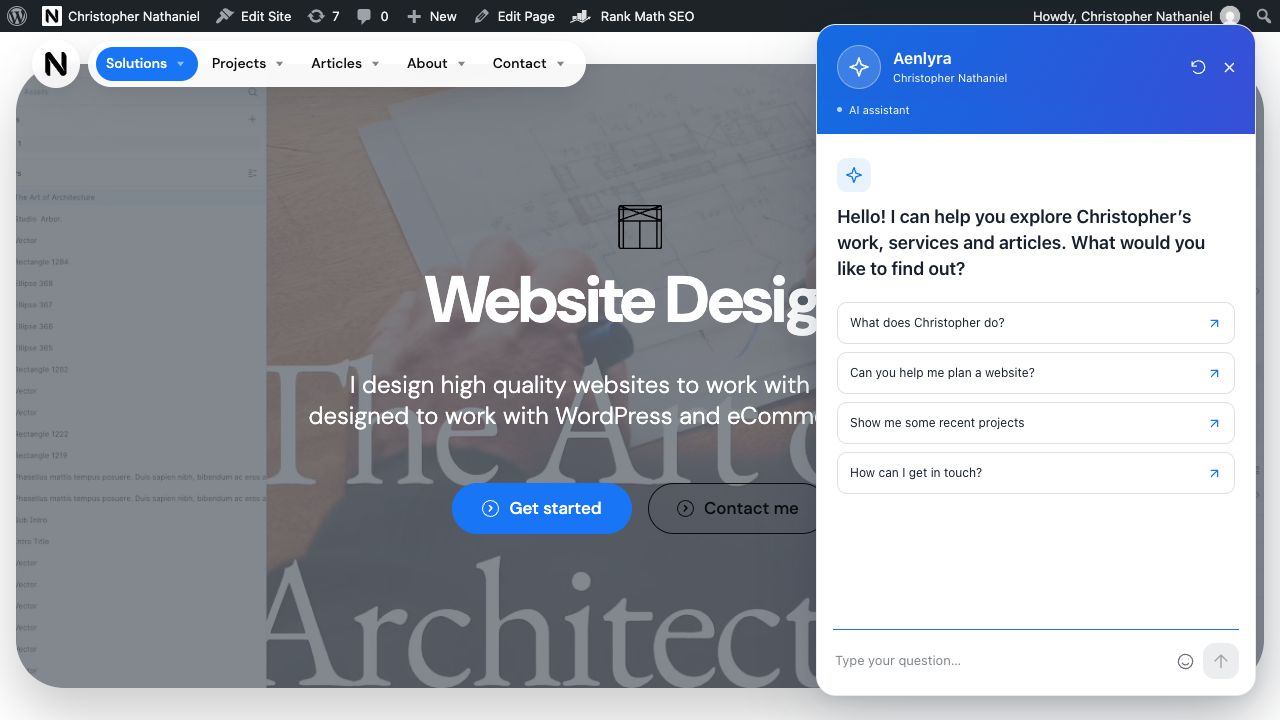
Floating chat with answers you can follow
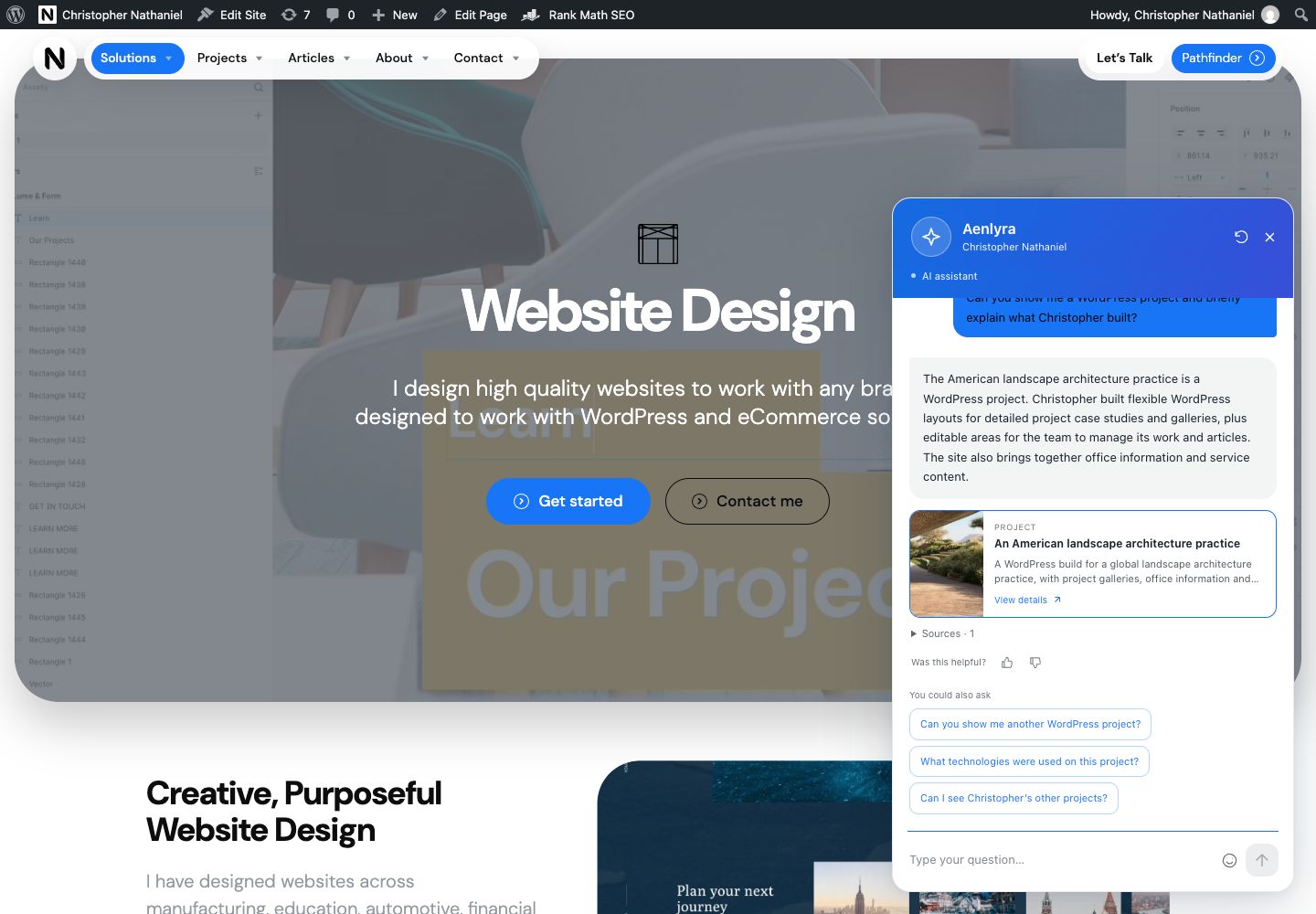
The floating panel keeps the familiar corner-widget interaction. An answer can include a project or article card, source links, helpfulness ratings and a set of suggested next questions. The recommendation is a real link into the website, so the visitor can move from a summary to the original material.
The example shows the assistant answering a question about WordPress development and recommending a relevant case study. Content cards also support pages, FAQs, products and downloads when those sources are configured. The portfolio example demonstrates project recommendations; it is not a separate ecommerce demonstration.
A central conversation within the website
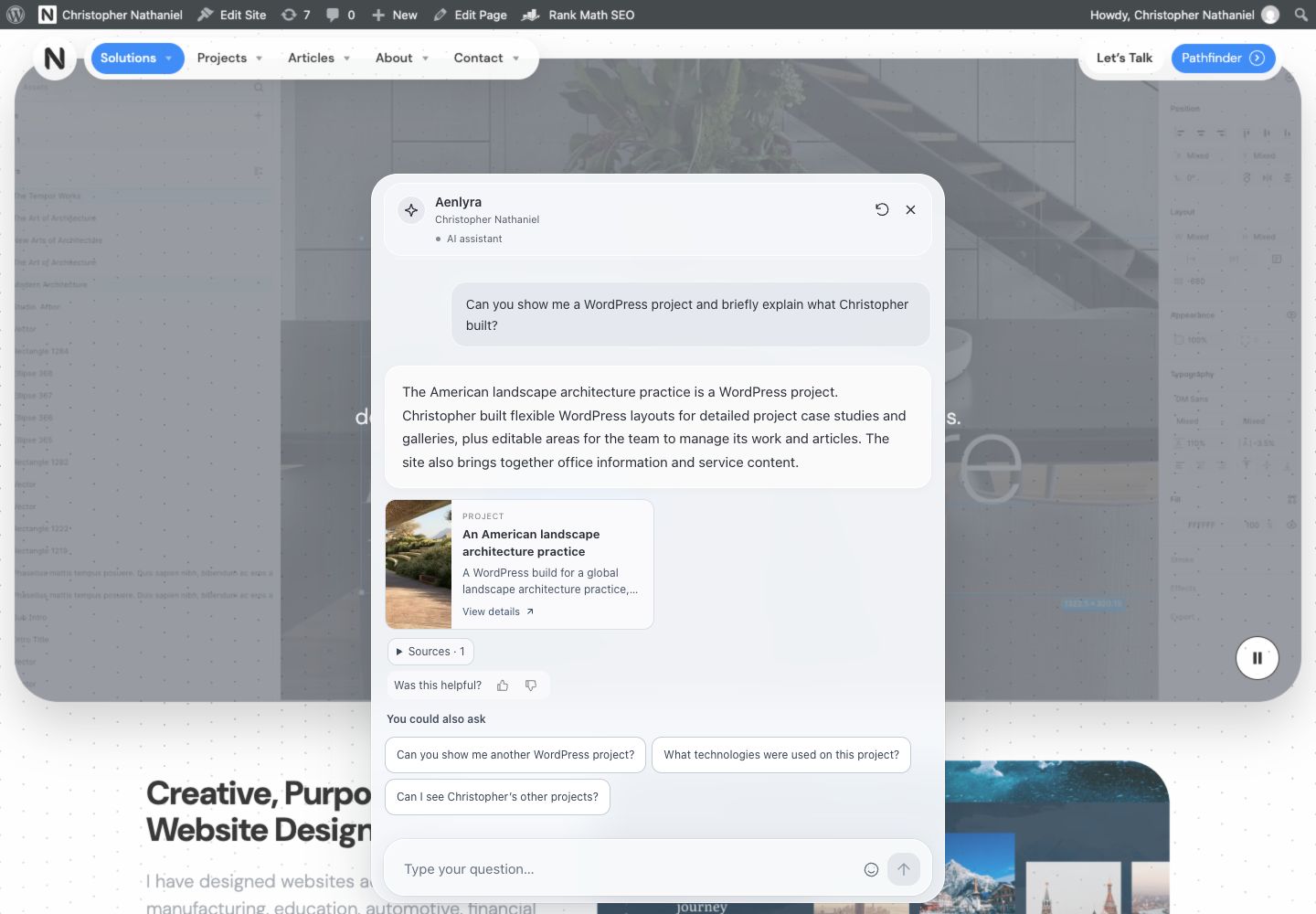
Integrated mode moves the conversation into a narrow central column. A quiet grey interface and translucent surfaces keep the surrounding page visible, while a local background behind the messages preserves their readability.
A dotted wave adds subtle movement while the assistant is open. The design accounts for keyboard interaction, smaller screens and reduced-motion preferences. This mode creates a more prominent conversation without replacing the website's own structure.
A minimal mode that stays out of the way
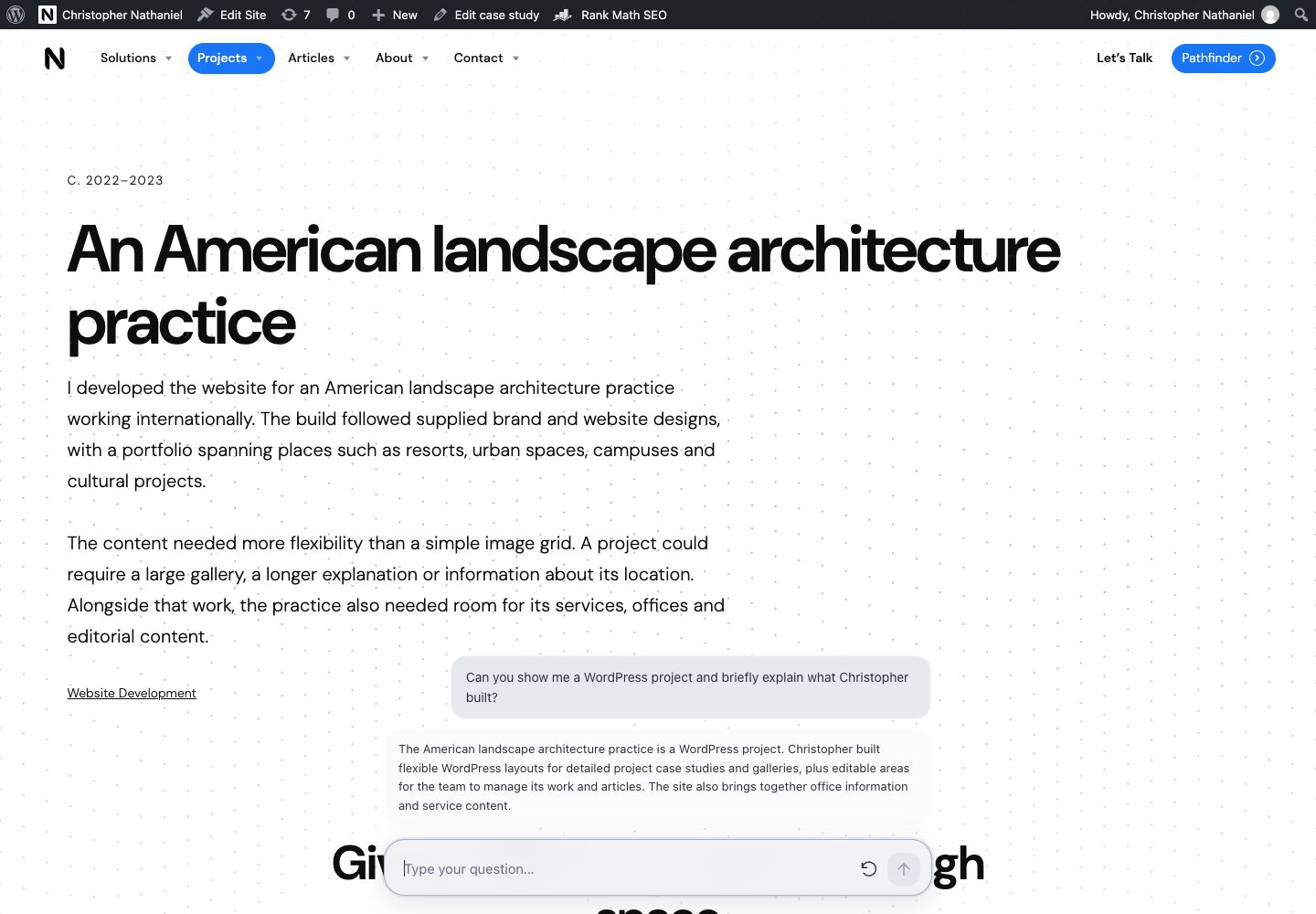
Permanent minimal mode removes the launcher and keeps the input available on each page. The latest question and answer sit behind it as a compact stack. Hovering, tapping or focusing the interface reveals that exchange, while moving away returns it to its resting state.
The full history, source controls, ratings and suggestions are hidden in this view. It suits a website where the assistant should feel closer to a persistent search tool. Visitors can continue the conversation without reopening a large panel.
Moving from a reply to the right page
Source links open the material behind an answer. Optional automatic navigation can also take the visitor to a relevant indexed page, with either a cancellable countdown or immediate loading. A separate setting can prefer the first eligible cited source when the owner wants that behaviour.
On a compatible theme, the page changes behind the conversation using a seamless transition: the dots appear, the old page fades away, the new page appears and the dots recede. The integration on this website preserves the chat and ongoing audio playback. Other themes can use normal page navigation, with seamless loading enabled only where it is supported.
A content index the owner can control
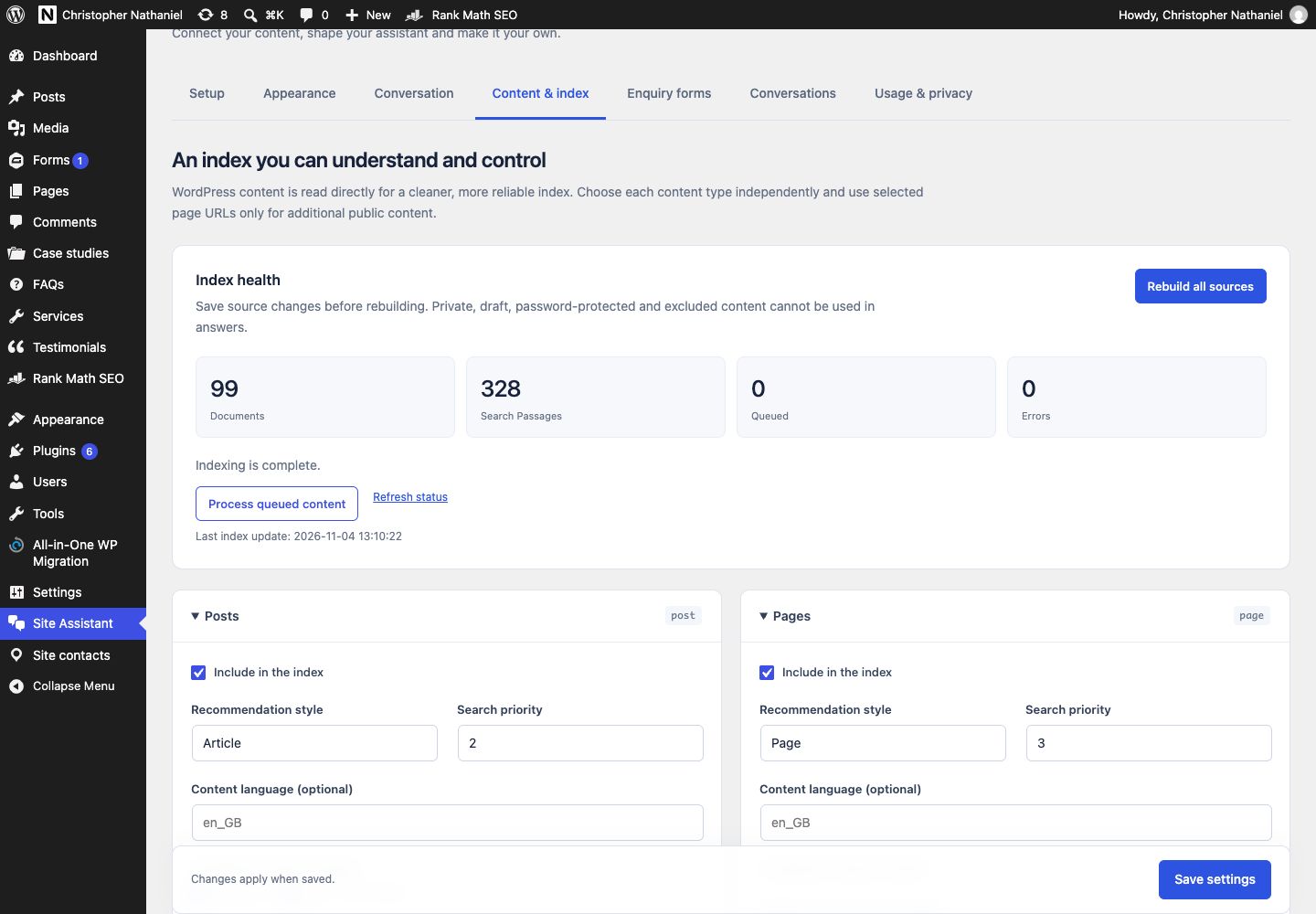
The index starts with WordPress's own records. Pages, posts and custom post types can be enabled independently, with selected categories, tags and public custom fields contributing to search. Each source type has its own priority, language and recommendation style. Additional public URLs can cover content outside the saved records.
Title and URL matching work alongside keyword retrieval and optional semantic search. The system stores its index in the existing WordPress database, without requiring a separate vector service. Content changes queue updates, and the administration screen exposes document counts, passages, pending work and errors.
A search test lets the owner inspect which material a question retrieves before generating an answer. Publication checks, exclusions and source permissions are applied during retrieval as well as indexing, keeping disabled, draft, private and password-protected records out of the normal public knowledge set.
Appearance and behaviour in one workspace
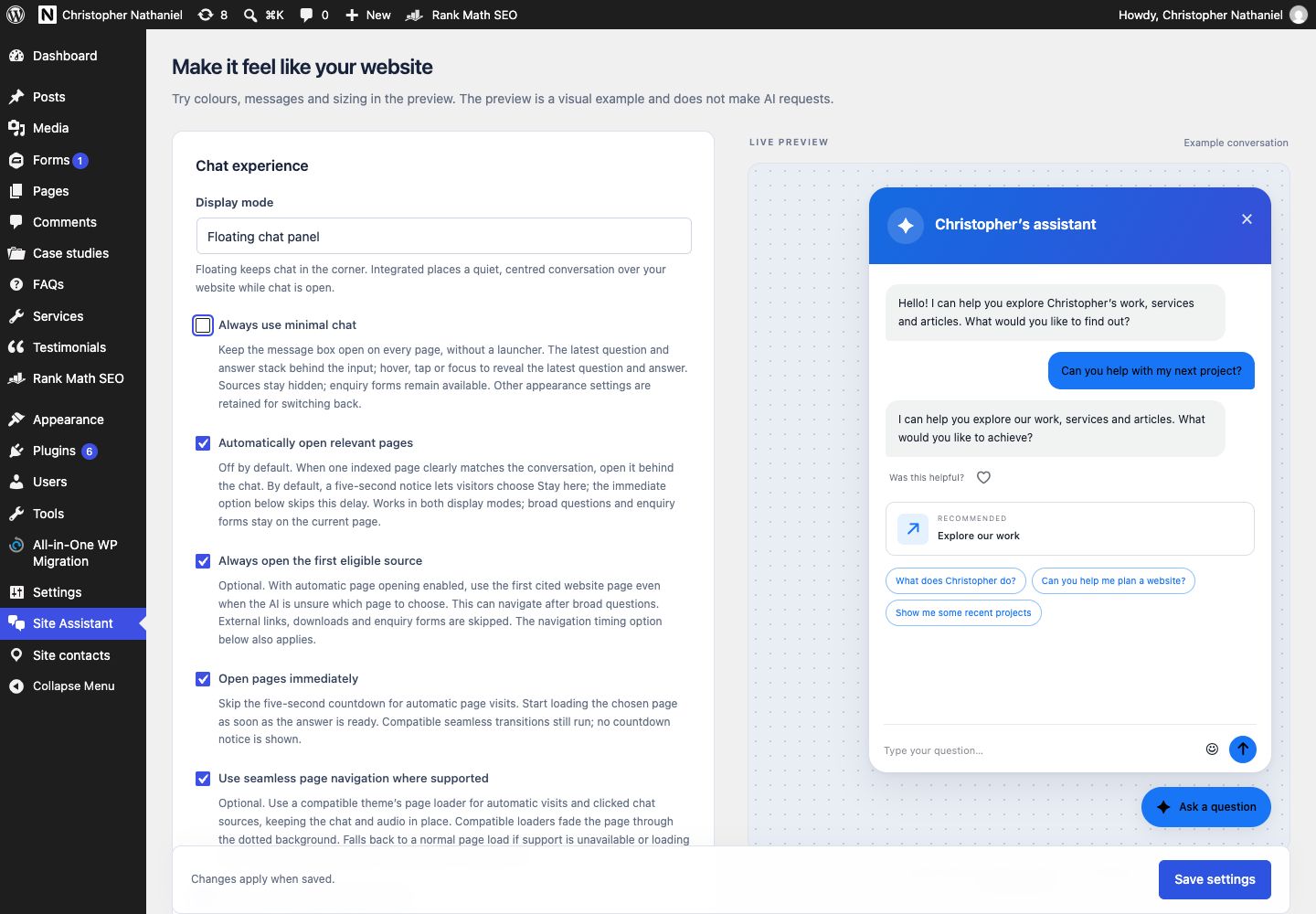
The appearance editor pairs the controls with a live visual preview. Owners can choose the mode, colours, dimensions, position, avatar and welcome copy, then see how those choices work together before saving. The preview uses an example conversation and does not make an AI request.
Conversation settings cover tone, response language, starting questions and interface wording. Models and usage limits are configurable too, making the plugin adaptable to different websites and budgets while retaining one reusable implementation.
From conversation to an enquiry
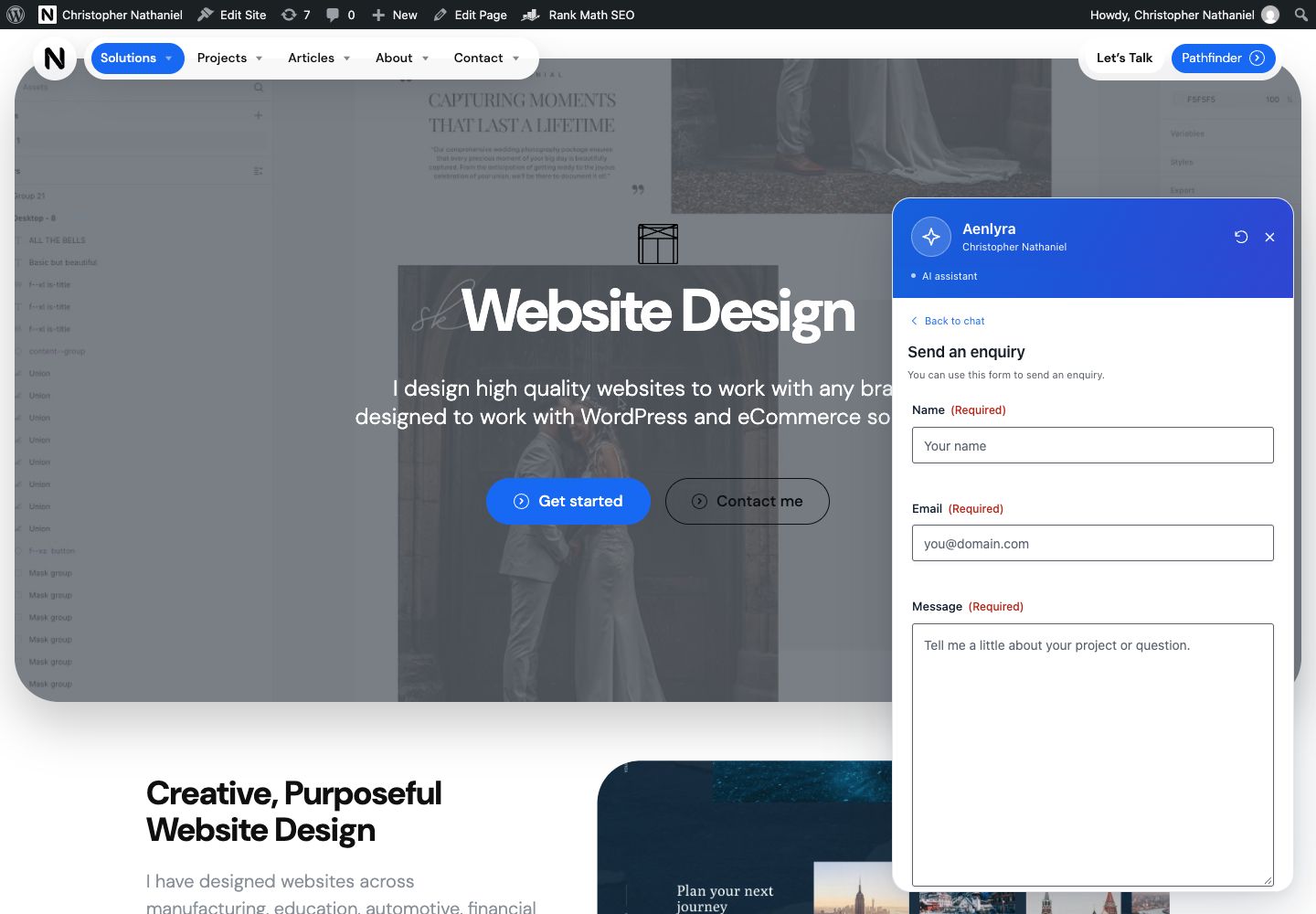
When a visitor wants to make contact, the assistant can offer an approved form. The visitor chooses whether to open it, and the existing form appears inside the chat. The example uses the website's Gravity Forms contact form, without submitting an enquiry.
Form selection, button labels and trigger phrases are managed in WordPress. Validation, entries, consent fields and notification settings stay with the form provider. The chatbot does not submit on the visitor's behalf or send completed form fields to the AI model. A Contact Form 7 adapter is also implemented; the captured example uses Gravity Forms.
Controls for running it day to day
Optional conversation recording gives administrators a view of visitors' questions, replies, referenced content and response feedback. Retention is configurable, and individual records can be removed. The owner can use those conversations to review the information people need and where answers could be clearer.
API requests stay on the server, and a key saved through setup is encrypted using a separate server secret. Request limits, conversation limits and estimated daily and monthly spending controls make operation more manageable. Those estimates depend on the configured model prices and are not a replacement for provider billing.
The implementation uses PHP, plain JavaScript and CSS, with the visitor interface isolated from theme styles. The result is a reusable WordPress plugin that connects content discovery, conversation and navigation, with the website owner retaining control over what it knows and how it appears.